Pirate Intelligence Network
-
I'm getting this error: "Unable to get operator settings, client will be unable to connect."
Can't log in, it either says Incorrect password or "Unable to process login request" if anything is in the id or password fields.
Pretty sure I followed instructions to the letter. I'm on Windows 7 btw.
-
@xeridox Sounds like you either didn't update the firefall.ini or didn't start the WebHostManager application or the WebHostManager application couldn't start properly. Don't forget you need to have three console windows open for PIN to work. :wink:
-
@darkcisum I did update the firefall.ini and started all 3 apps. They look like they're working but then again I don't know what they're supposed to look like if working properly.
-
This is what I get on the WebHostManager app:
Hosting environment: Production
Content root path: C:\Program Files (x86)\Steam\steamapps\common\Firefall\Pirate
IntelligenceNetwork
Now listening on: https://localhost:44307
Now listening on: http://localhost:4407
Application started. Press Ctrl+C to shut down.
Hosting environment: Production
Content root path: C:\Program Files (x86)\Steam\steamapps\common\Firefall\Pirate
IntelligenceNetwork
Now listening on: https://localhost:44302
Now listening on: http://localhost:4402
Application started. Press Ctrl+C to shut down.
Hosting environment: Production
Content root path: C:\Program Files (x86)\Steam\steamapps\common\Firefall\Pirate
IntelligenceNetwork
Now listening on: https://localhost:44300
Now listening on: http://localhost:4400
Application started. Press Ctrl+C to shut down.
Hosting environment: Production
Content root path: C:\Program Files (x86)\Steam\steamapps\common\Firefall\Pirate
IntelligenceNetwork
Now listening on: https://localhost:44303
Now listening on: http://localhost:4403
Application started. Press Ctrl+C to shut down.
Hosting environment: Production
Content root path: C:\Program Files (x86)\Steam\steamapps\common\Firefall\Pirate
IntelligenceNetwork
Now listening on: https://localhost:44306
Now listening on: http://localhost:4406
Application started. Press Ctrl+C to shut down.
Hosting environment: Production
Content root path: C:\Program Files (x86)\Steam\steamapps\common\Firefall\Pirate
IntelligenceNetwork
Now listening on: https://localhost:44308
Now listening on: http://localhost:4408
Application started. Press Ctrl+C to shut down.
Hosting environment: Production
Content root path: C:\Program Files (x86)\Steam\steamapps\common\Firefall\Pirate
IntelligenceNetwork
Now listening on: https://localhost:44310
Now listening on: http://localhost:4410
Application started. Press Ctrl+C to shut down.
Hosting environment: Production
Content root path: C:\Program Files (x86)\Steam\steamapps\common\Firefall\Pirate
IntelligenceNetwork
Now listening on: https://localhost:44301
Now listening on: http://localhost:4401
Application started. Press Ctrl+C to shut down. -
Version 1.1.0 has been released
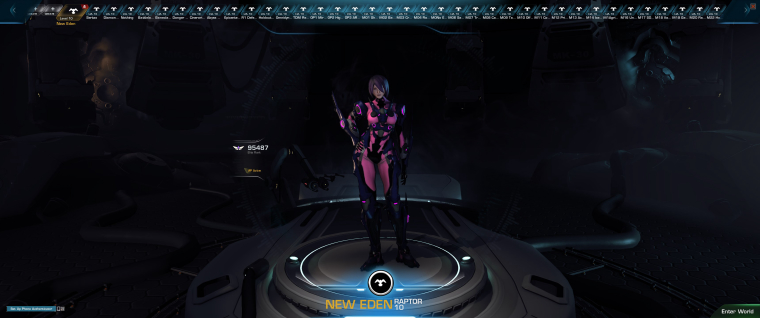
With this version, you can more easily explore all the available zones, simply by selecting a different character with a matching name in the character selection.
-
@xeridox
I think, right now the only way to get PIN to work is with Steam authentication, meaning, you need to start Firefall through Steam itself.
I'll look into whether there are other ways to handle this.Actually, it seems to be working fine on my end without Steam login as well.
Are you sure, you've entered a random email address and password (e.g. [email protected] and 12345)? -
I've tried both with Steam and without. Anything in the user/pass fields yields a "Unable to issue login request" error. It seems there is some communication not happening between the WebHostManager and Firefall. The other error I get ("Unable to get operator settings, client will be unable to connect.") appears immediately after Firefall loads the login screen. It's a big red message box inside FIrefall, not a standard windows message box. I don't know if that helps or not lol just thought I would say. I thought maybe it was windows firewall stopping it, so I added an exception and still no change.
-
Found the log file and something interesting in it. Evidently my comp doesn't understand what localhost is, of all things.
00:03 RAM:1187MB FPS:60 INFO GAME Contacting operator at localhost:4400/check?environment=prod&build=1962
00:03 RAM:1187MB FPS:60 INFO GAME Loading UI: LoginUI.xml
00:03 RAM:1187MB FPS:60 INFO GAME ui::Initialize...
00:03 RAM:1187MB FPS:60 INFO GUI Loading shaders from 'system\gui\guishaders.fx'...
00:04 RAM:1191MB FPS:60 INFO NETHTTP Creating pooled connection to localhost:4401. newcount=3
00:04 RAM:1191MB FPS:60 ERROR NETHTTP WinHTTP err=0x2ee7 WINHTTP_CALLBACK_STATUS_REQUEST_ERROR
(http://localhost:4401/vtex/prod-1962/static.vtex0)
00:04 RAM:1191MB FPS:60 ERROR NETHTTP WinHTTP err=0x2ee7 WINHTTP_CALLBACK_STATUS_REQUEST_ERROR
(http://localhost:4401/vtex/prod-1962/static.vtex2)
00:04 RAM:1191MB FPS:60 ERROR NETHTTP WinHTTP err=0x2ee7 WINHTTP_CALLBACK_STATUS_REQUEST_ERROR
(http://localhost:4401/vtex/prod-1962/static.vtex1)
00:04 RAM:1191MB FPS:60 WARN NETHTTP WinHTTP request completed with status hr=0x80072ee7: The server name or address could not be resolvedI also tried pinging localhost...
"Ping localhost" returns "ping request could not find host, please check the name and try again." -
Ok I found the problem. I had localhost mapped to 0.0.0.0 in my hosts file. Mapped it to 127.0.0.1 and now it works.
-
@xeridox Glad to hear that you managed to figure it out. Will add a troubleshooting section somewhere, with a hint regarding localhost. :+1:


Hello! It looks like you're interested in this conversation, but you don't have an account yet.
Getting fed up of having to scroll through the same posts each visit? When you register for an account, you'll always come back to exactly where you were before, and choose to be notified of new replies (either via email, or push notification). You'll also be able to save bookmarks and upvote posts to show your appreciation to other community members.
With your input, this post could be even better 💗
Register Login